Last Updated: October 18, 2026
The My IUB E Portal (IUB e portal) — available at my.iub.edu.pk — is the single online dashboard where every Islamia University Bahawalpur student manages their academic life: merit list checks, result downloads, fee challan generation, LMS access, course registration, and roll number slip. If you are looking for the direct My IUB E Portal login link, it is my.iub.edu.pk — the login page is titled “Welcome My IUB” — enter the login ID and password issued to you by IUB, and you are in. This guide covers everything beyond just logging in: how to check your IUB merit list 2026, view your result, generate your fee challan, access IUB LMS, fix common login errors, and use every feature the My IUB E Portal offers in 2026.
Students searching for “Welcome My IUB” or “my.iub.edu.pk login” land on the right page — this guide gives you everything. 🔗 Direct Portal Links:
E Portal Login: my.iub.edu.pk
IUB LMS Login: lms.iub.edu.pk
IUB Official Website: iub.edu.pk
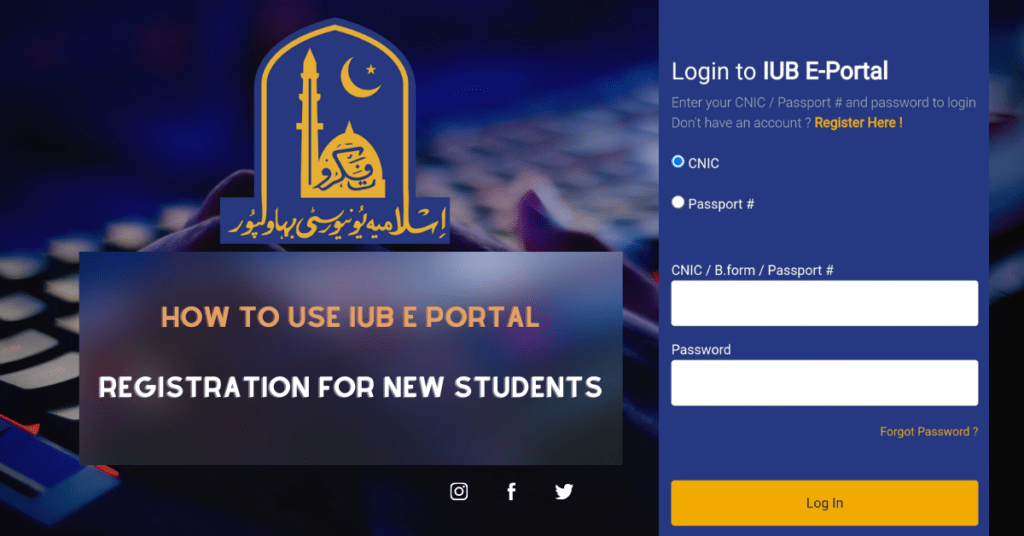
IUB E Portal Login 2026 (my.iub.edu.pk) — Step by Step
The IUB e portal login process is simple once you have the login credentials that IUB issues after admission. If you are not sure which ID to use, check your admission letter or ask your department office — do not guess repeatedly, as many failed attempts can block access.
| Step | Action | Notes |
|---|---|---|
| 1 | Open my.iub.edu.pk in browser | Use Chrome or Firefox — avoid Internet Explorer |
| 2 | Enter your login ID in the username field | As issued by IUB — check your admission letter or department |
| 3 | Enter password | Password issued by IUB — change it after first login |
| 4 | Complete CAPTCHA if shown | Appears during high-traffic periods like merit list days |
| 5 | Click Login — dashboard loads | Dashboard shows pending fees, notices, result links |
First-time login on My IUB E Portal: change the password IUB gave you after your first login, and tick “Stay signed in” only on your own device. If you forget your password, use the “Forgot your password?” link on the login page. For IUB admission timeline that triggers your portal activation, see IUB Fall Admission 2026.
Takeaway: Login at my.iub.edu.pk with the ID and password issued by IUB. Change your password after first login. Use “Forgot your password?” if you are locked out.
IUB Merit List 2026 on My IUB E Portal — How to Check
Checking IUB merit list 2026 through the My IUB E Portal is the official method — results posted here are authoritative and updated in real time as IUB releases each round. Students who check third-party sites risk seeing outdated or incorrect merit data.
| Merit List Type | Where to Check | When Released |
|---|---|---|
| 1st Merit List Fall 2026 | my.iub.edu.pk → Admissions → Merit List | September 2026 |
| 2nd Merit List | Same path — auto-updates | 2 weeks after 1st list |
| Self-Finance Merit List | Separate tab in Admissions section | Alongside open merit lists |
| IUB Merit List Spring 2027 | my.iub.edu.pk → Admissions → Merit List | Expected early 2027 — check iub.edu.pk |
| IUB Merit List PDF Download | Admissions → Merit List → Download PDF | Available after official announcement |
If your name does not appear on IUB merit list 2026 on the first release, do not panic — IUB typically releases 2–3 merit lists per intake as seats open up. Check the My IUB E Portal every 48 hours after the first list. The merit list section shows your aggregate percentage, program applied for, and seat status — confirmed, waiting, or not selected. For complete merit calculation formula, see IUB Merit List 2026.
Takeaway: IUB merit list 2026 at my.iub.edu.pk → Admissions → Merit List. Three rounds typically. PDF download available after announcement. Check every 48 hours — lists update without separate notification.
IUB E Portal Result 2026 — Check and Download Your Result Card
Semester results at IUB are posted on the My IUB E Portal before physical result cards are distributed — meaning your result is accessible online 1–2 weeks before you receive a physical copy. This is the most reliable way to check your IUB result in 2026 — not SMS services or third-party sites which often have errors or delays.
| Step | Action |
|---|---|
| 1 | Login to my.iub.edu.pk |
| 2 | Dashboard → Examination → Semester Result |
| 3 | Select semester and academic year |
| 4 | View subject-wise marks, CGPA, and grade |
| 5 | Click Download Result Card → save as PDF |
Your result card downloaded from My IUB E Portal carries an official IUB watermark and is accepted for scholarship applications, job applications, and university transfers. If a subject shows “W” (withheld), it means a fee or documentation issue — visit the IUB Treasurer’s office first with your CNIC and fee receipts, then the Examination Department confirms release. For fee-related queries, see IUB Fee Structure 2026.
Takeaway: Portal result available 1–2 weeks before physical card. Download as PDF — officially accepted document. “W” status = fee issue, visit Treasurer’s office not IT helpdesk.
IUB Fee Challan on My IUB E Portal — Generate, Download and Pay
Every semester, the My IUB E Portal generates a personalized fee challan specific to your program, semester, and any outstanding dues. This is the only valid challan for IUB fee payment — do not use a classmate’s challan or a previous semester’s copy, even if the amounts look similar.
| Fee Type | Portal Path | Deadline |
|---|---|---|
| Semester Tuition Fee | my.iub.edu.pk → Finance → Generate Challan | First 3 weeks of semester |
| Hostel Fee | Finance → Hostel Challan | First week of semester |
| Exam Fee | Finance → Exam Fee Challan | Mid-semester — check portal for exact date |
| Supply / Re-checking Fee | Examination → Apply for Supply → Generate Challan | 15 days after result |
After paying through the bank or payment channel printed on your challan, keep the paid copy and check that your fee status updates on My IUB E Portal. If it does not update within a few working days, take the paid challan to your department or the IUB accounts office. For hostel fee details, see IUB Hostel Fee Structure 2026.
Takeaway: Generate your own challan every semester — never use someone else’s. Keep the paid copy and confirm your fee status updates on the portal.
IUB LMS Login 2026 — Access Learning Management System
IUB LMS at lms.iub.edu.pk is a separate platform from My IUB E Portal — same Student ID and password work for both, but they are different URLs. If your teacher uploads course content, assignments, and quizzes, those are on LMS — not the main e-portal. Many students waste time searching the wrong portal.
| Feature | Location |
|---|---|
| Course Materials (lecture slides, notes) | lms.iub.edu.pk → My Courses → select course |
| Assignment Submission | LMS → Course → Assignments → Upload |
| Online Quizzes | LMS → Course → Quizzes — time-limited, do not refresh |
| Teacher Announcements | LMS → Dashboard → Latest Announcements |
| Discussion Forums | LMS → Course → Forum |
Courses appear on IUB LMS automatically once your enrollment is confirmed in the My IUB E Portal — if a course is missing, wait 48 hours after fee payment confirmation before contacting IT support. Do not submit assignments via email unless your teacher specifically instructs — LMS submissions are the only ones that count toward official records.
Takeaway: IUB LMS = lms.iub.edu.pk, separate from e-portal but same login. Courses appear after enrollment confirmation. Missing course = wait 48 hours then contact IT. Assignments on LMS only — never by email.
IUB Roll Number Slip — Download from My IUB E Portal
Before every semester exam, students must download their roll number slip from My IUB E Portal — without it, examination hall entry is refused. IUB does not distribute physical slips anymore — everything is digital. Download and print your slip at least 3 days before your first paper.
| Service | Portal Path | When Available |
|---|---|---|
| Roll Number Slip Download | my.iub.edu.pk → Examination → Roll Number Slip | 2 weeks before exams |
| Exam Date Sheet | Examination → Date Sheet → Current Semester | 3–4 weeks before exams |
| Supply Exam Application | Examination → Apply for Supply | 15 days after result |
| Re-checking Application | Examination → Re-checking → Select Subject | 15 days after result |
| Migration Certificate | Examination → Certificates → Migration | After semester completion |
Roll number slip on My IUB E Portal is blocked if you have unpaid dues — tuition, exam fee, or even a library fine. Check Finance → Outstanding Dues before exam season begins and clear everything minimum 1 week before exams. For IUB migration policy, see IUB Migration Policy 2026.
Takeaway: Print roll number slip 3 days before first paper. Slip blocked = unpaid dues — clear all dues 1 week before exams. Supply and re-checking: 15 days after result — strict deadline.
My IUB E Portal Login Problems — Fix All Common Errors
Most My IUB E Portal login errors — whether IUB login fails, password is rejected, or the page won’t load — are self-fixable in under 5 minutes. Here are the exact causes and fixes for every common issue without needing to call IT support.
| Error | Cause | Fix |
|---|---|---|
| “Invalid credentials” | Wrong login ID or caps lock on | Enter your login ID exactly as issued by IUB |
| “Account locked” | Repeated failed login attempts | Wait and try later, or use “Forgot your password?” — contact your department if it stays locked |
| Portal not loading | Server overload on merit list/result days | Try at 6–8 AM or after midnight |
| Password not accepted | Forgotten or changed password | Click “Forgot your password?” on my.iub.edu.pk and follow the steps |
| “Enrollment not found” | Fee not yet posted to system | Wait 48–72 hours after fee submission |
| CAPTCHA not loading | Ad-blocker extension blocking it | Disable ad-blocker for my.iub.edu.pk |
| Mobile browser issues | Portal not fully mobile-optimized | Use a desktop browser or switch your phone browser to desktop mode |
The My IUB E Portal is under highest load during merit list announcements (September and February) and result release days. If the portal is unresponsive on a critical day, wait and try again early in the morning or late at night. For account problems that the “Forgot your password?” option cannot fix, contact your department office.
Takeaway: Most errors are self-fixable. Heavy load days: try early morning. Locked out: use “Forgot your password?”, then your department office.
IUB Official Website and All Portal Links 2026
Students searching for “IUB website” or “IUB portal” often land on unofficial sites. Here are the only official IUB URLs — bookmark all of these directly.
| Portal / Service | Official URL | Purpose |
|---|---|---|
| My IUB E Portal | my.iub.edu.pk | Student dashboard — results, merit, challan, registration |
| IUB Official Website | iub.edu.pk | Admissions, news, departments, fee schedule PDFs |
| IUB LMS | lms.iub.edu.pk | Course content, assignments, quizzes |
| IUB Email | Details given by IUB IT on enrollment | Official student email |
| IUB Jobs Portal | iub.edu.pk → Jobs / Careers section | Faculty and staff vacancies |
| IUB Library | iub.edu.pk → Library section | Digital library, HEC digital library access |
Any URL that does not end in iub.edu.pk or its subdomains is not official IUB. Bookmark my.iub.edu.pk and iub.edu.pk directly — never rely on search results alone on merit list or result days when unofficial sites rank temporarily due to high search volume.
Takeaway: Official IUB portals only: my.iub.edu.pk, iub.edu.pk, lms.iub.edu.pk. Bookmark directly. Any other URL = unofficial. Do not trust third-party sites for merit list or result data.
My IUB E Portal 2026 — Complete URL Guide and All Portal Links
Many students search for my iub e portal login under different names — iubeportal, eportal iub, my iub portal, or simply “welcome to my iub”. All of these refer to the same official student portal at Islamia University Bahawalpur. Here is a complete reference of all official IUB portal URLs to bookmark.
| Portal Name | URL | What It Does | Who Uses It |
|---|---|---|---|
| My IUB E Portal (main) | my.iub.edu.pk | Results, fee challan, merit list, roll number slip, course registration | Current students |
| IUB Admission Portal | Linked from iub.edu.pk → Admissions | New admission applications, merit list tracking | Applicants |
| IUB LMS | lms.iub.edu.pk | Course content, assignments, online lectures | Students + Faculty |
| IUB Affiliation Portal | Linked from iub.edu.pk → Affiliation | Affiliated college management, NOC, inspection | College administrations |
| IUB Official Website | iub.edu.pk | News, announcements, prospectus, date sheets | All users |
The correct my iub login URL is my.iub.edu.pk — not iub.edu.pk. Many students land on the main website and cannot find the login. Bookmark my.iub.edu.pk directly to save time. Your my iub account credentials (student ID + password) are provided by IUB at the time of enrollment — if you have lost them, use the “Forgot Password” option on my.iub.edu.pk or contact your department office.
The domain my iub edu pk (without dots) is how many students type the URL — it is the same as my.iub.edu.pk. Similarly, iubeportal, eportal iub, and my iub portal all refer to the same portal at my.iub.edu.pk.
My IUB App 2026 — Download and Mobile Access Guide
An Android app called My IUB is available for Islamia University Bahawalpur students. According to its store listing, students sign in with their registration number to check their enrollments, plan of study, transport schedule, class timetable and transcript. It does not replace the web portal: fee challans, merit lists and official result cards are still handled on my.iub.edu.pk.
| Detail | Information |
|---|---|
| App Name | My IUB |
| Android Download | Google Play Store → search “My IUB” (package name com.my.myiubapp) |
| iOS Download | No iPhone version confirmed — use my.iub.edu.pk in Safari |
| Login Credentials | Registration number and password issued by IUB |
| Key Features | Enrollments, plan of study, transport schedule, class timetable, transcript |
| Offline Access | Not available — requires internet connection |
If the My IUB app is not working or showing errors, use the web version at my.iub.edu.pk, which remains the main channel for challans, results and merit lists. Install the app only from the Play Store listing, never from an APK shared on WhatsApp or another website. The my iub lms (Learning Management System) is accessible separately through lms.iub.edu.pk — it is not part of the main e-portal app but runs alongside it.
IUB Affiliation Portal 2026 — For Affiliated Colleges
The IUB affiliation portal (linked from the Affiliation section of iub.edu.pk) is a separate system used by Islamia University’s affiliated colleges — not by individual students. College principals and administration staff use this portal to manage affiliation renewal, student enrollment submissions, NOC applications, and inspection scheduling.
If you are a student of an IUB-affiliated college looking for your result or merit list, you should use the main my iub e portal at my.iub.edu.pk — not the affiliation portal. The affiliation portal is restricted to college administration login only. For a list of all affiliated colleges under IUB, see IUB Affiliated Colleges 2026.
MyIUB Portal 2026 — Quick Access Shortcuts and Direct Links
Students searching for myiub, my iub, or my.iub.edu.pk are all looking for the same portal. Here is a complete quick-reference for every direct link under the My IUB E Portal ecosystem — bookmarked in your phone browser, these save minutes every time you need a service.
| Service | Direct URL | What You Can Do |
|---|---|---|
| MyIUB Main Portal | my.iub.edu.pk | Login dashboard — results, fee, schedule |
| IUB LMS Portal | lms.iub.edu.pk | Course content, assignments, lectures |
| IUB Official Website | iub.edu.pk | Admissions, news, departments |
| IUB Admission Portal | iub.edu.pk → Admissions | Apply online, check merit list |
| IUB Fee Challan | my.iub.edu.pk → Finance | Generate and download challan |
| IUB Result Portal | my.iub.edu.pk → Exams | Semester and annual results |
If myiub portal (my.iub.edu.pk) is down or showing a blank page, it is almost always a temporary server issue — IUB servers experience load spikes during result announcements, fee submission deadlines, and merit list days. Wait 15–30 minutes and refresh. Do not enter your password on any unofficial website that looks like the My IUB E Portal — phishing sites targeting IUB students do exist. Always verify the URL is exactly my.iub.edu.pk before entering login credentials. For portal login troubleshooting and all features guide see the sections above. For IUB admission through the portal see IUB Admission 2026.
FAQ — My IUB E Portal 2026
What is the direct login link for My IUB E Portal?
The direct login link for the IUB e portal is my.iub.edu.pk — the login page is titled “Welcome My IUB”. Enter the login ID and password issued to you by IUB, and change the password after your first login. If you forget it, use the “Forgot your password?” link on the same page. For IUB LMS the separate URL is lms.iub.edu.pk — same login credentials work for both.
How do I check IUB merit list 2026 on My IUB E Portal?
Login to my.iub.edu.pk → Admissions → Merit List → select program and intake. IUB publishes merit lists in rounds after each admission intake — check every 48 hours once lists start. Spring 2027 merit lists are expected in early 2027 after the spring admission window; see IUB Spring Admission 2027. PDF download available after official announcement. Only trust merit data from my.iub.edu.pk — third-party sites are unreliable.
How do I fix My IUB E Portal login not working?
Most My IUB E Portal login issues come from a mistyped login ID, caps lock, a forgotten password, or too many failed attempts. Check that you are on exactly my.iub.edu.pk, type your ID as issued by IUB, and use “Forgot your password?” to reset. On merit list and result days the portal can be slow — try early morning or late at night. Clear your browser cache or try another browser if the page will not load. If your account stays locked, contact your department office.
What is IUB LMS login URL?
IUB LMS login URL is lms.iub.edu.pk — separate from My IUB E Portal (my.iub.edu.pk) but same Student ID and password. LMS hosts course content, assignments, and quizzes. Courses appear after enrollment confirmation — if missing, wait 48 hours after fee payment before contacting IT support.
How do I download my IUB roll number slip?
Login to My IUB E Portal at my.iub.edu.pk → Examination → Roll Number Slip → download PDF → print at least 3 days before first paper. Slip is blocked if you have outstanding dues — check Finance → Outstanding Dues and clear all payments minimum 1 week before exams. Without the roll number slip, examination hall entry is refused.
How do I generate IUB fee challan from the portal?
Login to my.iub.edu.pk → Finance → Generate Challan → download personalized challan PDF. Pay through the bank or payment channels printed on the challan. After payment, keep the paid copy and check that your fee status updates on the portal; if it does not, show the paid challan at your department or the IUB accounts office.
What is “welcome to my IUB” — is it the same as My IUB E Portal?
Yes — “Welcome My IUB” is the title of the login page at my.iub.edu.pk, and “Welcome to My IUB” is the heading shown under the IUB logo before you sign in. Students often search for this phrase when trying to find the portal. If you see this page, you are on the official my iub e portal — enter your login ID and password to sign in. Always check the address bar shows exactly my.iub.edu.pk before typing your password.
How to download the My IUB app for Android and iOS?
Open the Google Play Store on your Android phone, search for “My IUB” and check that the listing describes it as the IUB application for students (package name com.my.myiubapp) before installing. Sign in with your registration number and the password issued by IUB. According to its listing, the my iub app shows your enrollments, plan of study, transport schedule, class timetable and transcript. An iPhone version has not been confirmed, so iOS users should open my.iub.edu.pk in Safari. Fee challans, merit lists and official result cards are still handled on the web portal.
What is my IUB account and how to recover a forgotten password?
Your my iub account is the student login issued by IUB at enrollment. If you forget the password, go to my.iub.edu.pk and click “Forgot your password?”, then follow the recovery steps shown. If the reset does not work, visit your department office with your enrollment documents for manual account recovery.
Can I open the IUB e portal on my mobile phone?
Yes. The IUB e portal at my.iub.edu.pk opens in any mobile browser such as Chrome. Type the address exactly as my.iub.edu.pk, sign in with your login ID and password, and tick “Stay signed in” only on your own phone. If some pages or tables do not display properly on a small screen, switch the browser to desktop mode or use a laptop. Do not install apps or open links from unknown sources that claim to be the IUB portal — only enter your password on my.iub.edu.pk. For admission-related steps that happen before you get a portal account, see IUB Admission 2026.
Conclusion
The My IUB E Portal at my.iub.edu.pk is your complete student management system at Islamia University Bahawalpur — merit list, result, fee challan, LMS access, roll number slip, and exam services all in one place. Bookmark my.iub.edu.pk directly, change your password after first login, and confirm your fee status after every payment — these three habits prevent most portal-related problems IUB students face. For admission process, see IUB Fall Admission 2026. For fee details, see IUB Fee Structure 2026. For merit list details, see IUB Merit List 2026.